

Comparison / The research library
Gmail vs PromoStash for an email swipe file
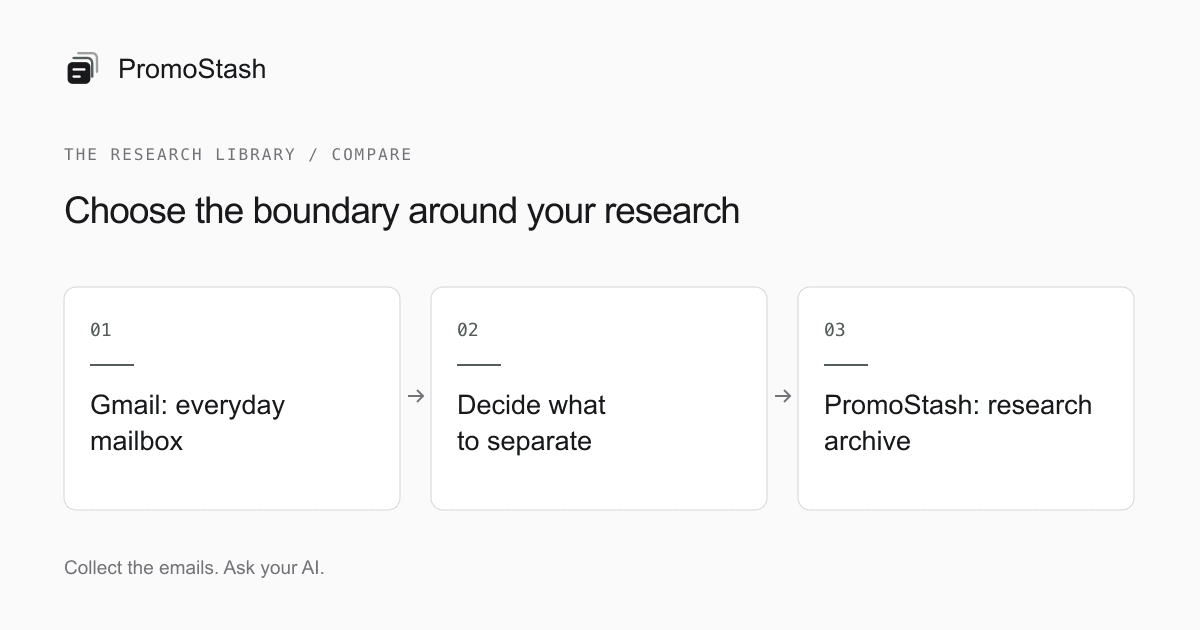
Gmail is a practical place to start an email swipe file if labels and search already meet your needs. PromoStash is a more focused option when you want research separated from everyday mail and scoped access from an MCP-compatible AI tool. It is an archive, not a replacement for Gmail’s sending, replies, or general mailbox features.
Published by PromoStash. Official-source comparison; not an independent product review. How we write comparisons
On this page
Compare the workflow, not the inbox appearance
| Question | Gmail | PromoStash |
|---|---|---|
| Where do references live? | Inside a mailbox you organize | In a separate private marketing archive |
| How do I organize them? | Labels and filter rules | Sender-domain brand history and manual collections |
| How do I find messages? | Mailbox search and operators | Text search with brand, date, and collection filters |
| Can I send and reply? | Yes; a general email client | No compose or reply interface |
| How does collection start? | Subscribe using a mailbox address | Subscribe using a private capture address |
| How do existing messages move? | Keep them in the mailbox | Pro: forwarding or bounded EML/MBOX import |
Gmail’s organization and search capabilities are described in Google’s filter guide (opens in a new tab) and search-operator reference (opens in a new tab). PromoStash details here reflect its current implementation. This is a vendor-authored workflow comparison, not an independent benchmark or a security audit.
Both approaches can work. The deciding question is whether your current system makes retrieval easy enough. If you can find a launch reference, inspect the surrounding emails, and return to the selected examples without losing them among work mail, you may not need to move anything.
When Gmail is enough
Stay with Gmail when your research volume is manageable and the organization feels natural. A dedicated mailbox can keep subscriptions separate from personal correspondence without introducing a specialized archive. A research label in an existing mailbox can also be sufficient if you consistently apply it and know what belongs there.
Gmail is particularly sensible when the material must remain inside your organization’s existing Google account controls. Do not move client or company correspondence into another tool just to simplify a swipe file. A separate service is another place to manage access, retention, and account ownership; consider those responsibilities before focusing on interface convenience.
label:Research from:newsletter@brand.example after:2026/08/01 before:2026/09/01This example combines a label, sender, and date boundary. Replace the label and address with your own. Those are Gmail operators, not PromoStash syntax. A repeatable search you understand can be more useful than moving to a new tool simply because its feature list is longer.
- Choose Gmail if you want one familiar place to read and respond to all kinds of mail.
- Choose Gmail if your references must stay within an existing approved work account.
- Choose Gmail if your label and search routine is already easy to maintain.
- Choose Gmail if you do not need an additional archive connection for external tools.
When a dedicated archive becomes useful
PromoStash is designed around collecting and retrieving marketing references. There are no reply threads to clear or drafts to finish. A brand page gives you a chronological view of the messages captured from that sender domain, and a collection can hold examples from several brands for the same brief.
That separation can be useful when newsletters are crowding out correspondence or when you keep postponing the work of sorting research mail. It is not a promise that organization becomes effortless. You still choose subscriptions, inspect the messages, rename unclear brand labels, and curate collections manually.
The private capture address also changes the starting point. For new newsletters, you subscribe directly with that address. PromoStash does not need to inspect your existing mailbox to start collecting. For a practical first project, use the email swipe-file guide and test whether the capture-to-retrieval loop actually fits your work.
If you need messages that you have never subscribed to, a private inbox is not the whole solution. Our Milled comparison covers public archive discovery, while the Really Good Emails comparison covers curated design inspiration and the separate Studio product.
What changes when you want to use an AI tool?
PromoStash exposes archive reading tools and optional collection write tools through MCP. A compatible client can search saved messages and retrieve email text, links, brands, and collections after you authorize access. The analysis happens in that client. PromoStash does not supply an AI writer, summary button, tagging model, or chat subscription.
This page does not attempt to compare every Gmail AI feature or third-party connector; those vary by product, account, and plan. The narrower comparison is the boundary you choose to expose. A dedicated marketing archive lets you keep routine correspondence outside that particular archive connection, provided you have only collected research mail there.
Try a bounded request such as ‘List the welcome-email subjects from this month, then show the messages behind your observations.’ A good result lets you return to the evidence. An unsupported statement about a competitor’s conversion rate is not made reliable by the fact that an AI tool had access to the emails.
Compare cost against a task you actually repeat
PromoStash Free includes 3 brands, 100 emails, 3 collections, search, and MCP. Pro is $9/month or $29/year at the founding price. The yearly price stays locked while the subscription remains active. Pro adds import and forwarding, with 25 brands and 5,000 stored emails.
An existing Gmail account may have no additional cost for this research habit, depending on your account and storage needs. We do not assign it a comparable per-brand price because mailbox storage and a research archive are different products. Check your actual account terms instead of treating an email count as an apples-to-apples measure.
A useful evaluation is to repeat one task in your current setup and in a small archive: find a past announcement, find the follow-up, and collect the pair for a brief. If the separate archive does not improve that task for you, staying with the system you know is a reasonable decision.
You do not need an all-at-once migration
Start with new subscriptions in the capture inbox and leave your old Gmail reference labels intact. That makes the trial reversible and avoids turning a simple research decision into a mailbox migration. After you have tested retrieval, bring over only the historical messages that are useful for a current project.
For subscriptions you want to keep in Gmail, the selected-newsletter forwarding guide walks through verification, narrow filters, and a new-message test. Do not turn on all-mail forwarding as a shortcut. Keep source copies while validating any transfer, and check usage limits before adding many senders.
Keep operational mail in your normal client. PromoStash does not replace password recovery, correspondence, attachment storage, or an organizational retention system. It is deliberately a smaller product. The best fit is a research habit that benefits from that separation, not a general desire to replace everything your inbox does.
Common questions
Is PromoStash a Gmail replacement?
No. Use it for marketing-email references. Continue using Gmail or another email client to send, reply, and manage everyday correspondence.
Can I start a swipe file with Gmail for free?
If your existing account and storage are sufficient, labels and search can support a swipe-file habit without another tool. A separate archive is optional.
Do I have to connect my Google account?
No Gmail read permissions are required by PromoStash. Use a capture address for new subscriptions and optional Pro forwarding or file import for selected existing mail.
Sources and editorial notes
Public sources checked September 6, 2026. Product interfaces and terms can change. PromoStash features and limits were checked against this application’s implementation.
- Google: create rules to filter your emails (opens in a new tab)
- Google: refine searches in Gmail (opens in a new tab)