

Field notes / The research library
How to save competitor emails without crowding your inbox
To save competitor emails, subscribe with a research-only address, confirm the subscriptions, and keep the messages in a searchable archive. This gives you a record of what that address receives without filling your everyday inbox. It does not reveal every campaign a competitor sends or how those campaigns perform.
On this page
Choose a small, purposeful subscription list
Start with the decision you want the emails to inform. An ecommerce marketer preparing a shipping promotion needs a different set of references from a SaaS marketer revising a welcome sequence. Put that question at the top of a working document. It becomes a useful filter when you are tempted to add every recognizable brand.
Choose a direct competitor, an adjacent business, and one sender with a different communication style. This is a starter exercise, not a requirement. Write one reason for each choice: a similar product, a different way of explaining value, or a relevant subscription experience. If you cannot name a reason, leave that sender out for now.
An email swipe file works best when collection and curation stay separate. Capture the ongoing history from your chosen senders, then select useful messages for a brief. You do not need to declare every arrival inspiring, and you do not need to archive every business in your market.
Use a dedicated receiving address
A separate address creates a practical boundary between reading for research and handling everyday messages. In PromoStash, copy the private address from your signed-in account. Use it in the brand’s own newsletter form. There is no need to connect Gmail or grant permission to read your mailbox when subscribing directly.
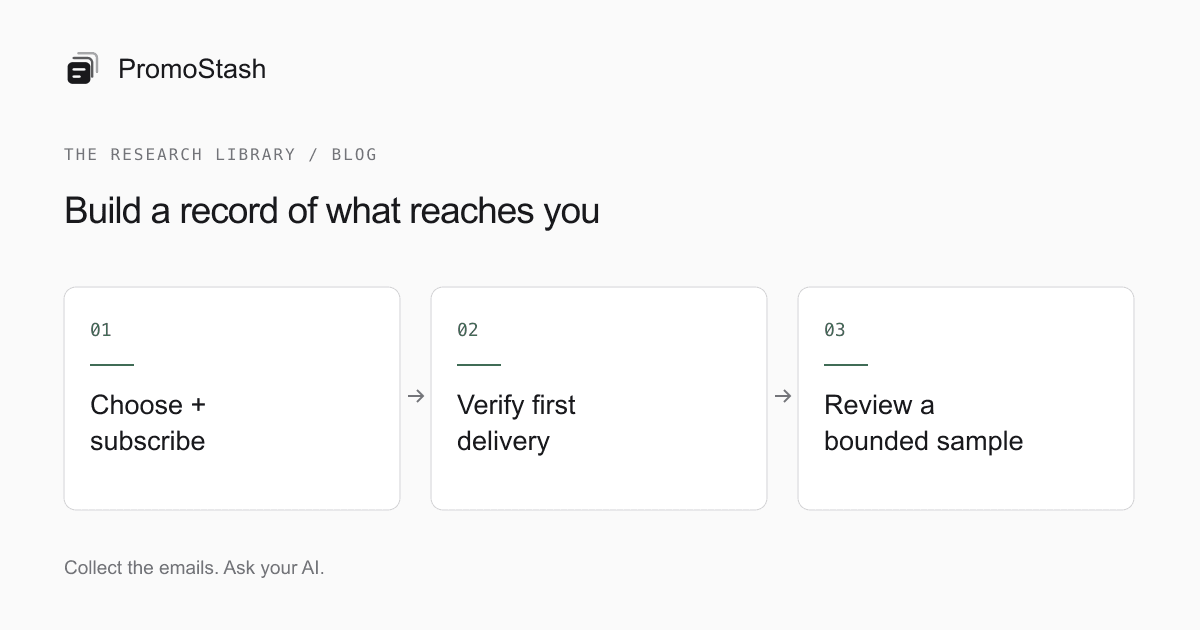
- Open the brand’s public newsletter signup and enter your capture address.
- Review what you are subscribing to; a customer account and a newsletter may be different things.
- Check PromoStash for a confirmation message if the brand uses one.
- Confirm only the signup you just initiated, then look for the first welcome or newsletter email.
- Record when you started receiving messages and any preferences you selected.
Some senders do not send a welcome message immediately. Others require a confirmation before sending any marketing mail. Check the address for typing errors before signing up again. Repeated submissions can make it harder to tell which action triggered a message, particularly when you are studying an onboarding sequence.
Bring existing subscriptions across deliberately
For a newsletter already going to your personal inbox, changing its subscription address can be the cleanest way to separate future mail. Keep in mind that changing an address or creating a fresh subscription may alter the sequence you receive. Note the change if you are trying to compare messages across time.
If you want the subscription to remain in Gmail, use a narrow forwarding rule with PromoStash Pro. Follow the guide to automatically forwarding newsletters from Gmail, and test one sender before adding others. Avoid a rule that sends your entire Promotions category unless you have carefully reviewed what it includes.
Historical messages need a separate transfer. Gmail supports forwarding messages as EML attachments (opens in a new tab). For old newsletters you want to keep, our EML and MBOX import guide explains small-batch options and current limits. A screenshot can record a visual reference, but it cannot replace the original sender, message date, and searchable body.
Preserve the context that makes an example useful
| Record | Why it matters | Illustrative entry |
|---|---|---|
| Subscription start | Distinguishes missing history from a quiet sender | Subscribed at the start of this project |
| Signup location | Different forms may lead to different mail | Footer newsletter form |
| Preferences | Makes the sample’s boundaries visible | English newsletter; no customer purchase |
| Observed sequence | Keeps isolated messages in order | Welcome, product introduction, reminder |
| Open question | Separates an observation from a conclusion | Does the trial explanation change for active users? |
These are suggested notes for your own document, not fields PromoStash automatically fills in. The archive stores the email’s sender, subject, date, text, rendering, and extracted links. It groups messages by sender domain and lets you rename a brand when that derived label is unclear. That grouping is convenient organization, not verified corporate ownership data.
If a brand changes sending domains, its history can appear under another brand entry. Inspect the sender rather than assuming a gap means no mail was sent. Automatic naming is not an intelligence feature, and this version does not promise automatic merging of every address used by the same company.
Curate for the next brief, not an imaginary perfect library
When a new project starts, open the chronological brand view before searching for individual words. You may spot a useful preparation email that never says ‘launch’ or a reminder whose subject is simply a question. After that first pass, narrow by date and keywords, then move the strongest references into a manual collection.
- For an offer brief, save the announcement and the message that explains its conditions.
- For onboarding, save the first-action email and a later message that assumes the action is complete.
- For layout inspiration, keep a text-heavy example beside an image-led one.
- For subject-line research, always read the body that the subject introduces.
Try writing a one-sentence observation for each selected example in your brief. ‘The discount conditions appear before the button’ is useful. ‘This is a high-converting offer’ is not supported by the email alone. Avoid treating repeated wording as proof of a winning experiment; repetition could have many explanations.
Be precise about what you did not observe
A private subscription records mail delivered to that address. It may miss messages sent only to buyers, people in another region, or users who took a particular action. Your subscription date also limits the history. State the sender, date range, and recipient context whenever you share an observation from the archive.
Use public signup paths and your own accounts. Do not impersonate customers, submit someone else’s information, or try to access private lists. You can learn a great deal from ordinary newsletter subscriptions without collecting unrelated personal data or pretending that a small sample is comprehensive.
The saved rendering has limits too. PromoStash blocks remote images until you opt in, and those assets remain dependent on the sender’s hosting. Some links may be personalized or expire. Read the destination before opening it, and do not use an unsubscribe link casually if you want the research subscription to continue.
If you need immediate examples from before you subscribed, a public library may complement the archive. The Milled comparison explains that discovery-versus-capture choice. Use the public source as another sample, not as proof of complete coverage or an automatic import path into PromoStash.
A practical first-week checklist
Before expanding, make sure the smallest version of the routine works. You should be able to identify a sender, find a message again, and place one useful reference in a collection. If that takes too much effort, reduce the number of subscriptions or simplify the collection names.
- The actual capture address is saved somewhere easy to copy.
- The initial subscriptions have been confirmed where required.
- At least one expected message has arrived and its sender is recognizable.
- A collection has a specific purpose tied to an upcoming brief.
- Your research notes state when capture began and what is outside the sample.
- You can find a saved example without remembering its exact subject.
Once these checks pass, add senders to fill a genuine gap in the research. The objective is a usable reference library. A quiet inbox with a handful of useful examples is better evidence of progress than a large message count you never revisit.
Common questions
Can PromoStash find a competitor’s old emails automatically?
No. It stores emails received at your capture address and messages you import. It does not fetch a public back catalog or recover emails you never received.
Does this measure competitor campaign performance?
No. The archive shows message content and dates, not opens, clicks, revenue, or testing results. Any evaluation is your own research or work you choose to do in a separate AI client.
Can I save newsletters without Gmail access?
Yes. Subscribe directly with your private PromoStash address. Forwarding and file imports are optional Pro paths for messages already in another mailbox.
Sources and editorial notes
Public sources checked September 6, 2026. Product interfaces and terms can change. PromoStash features and limits were checked against this application’s implementation.
Read our editorial approach and limitations